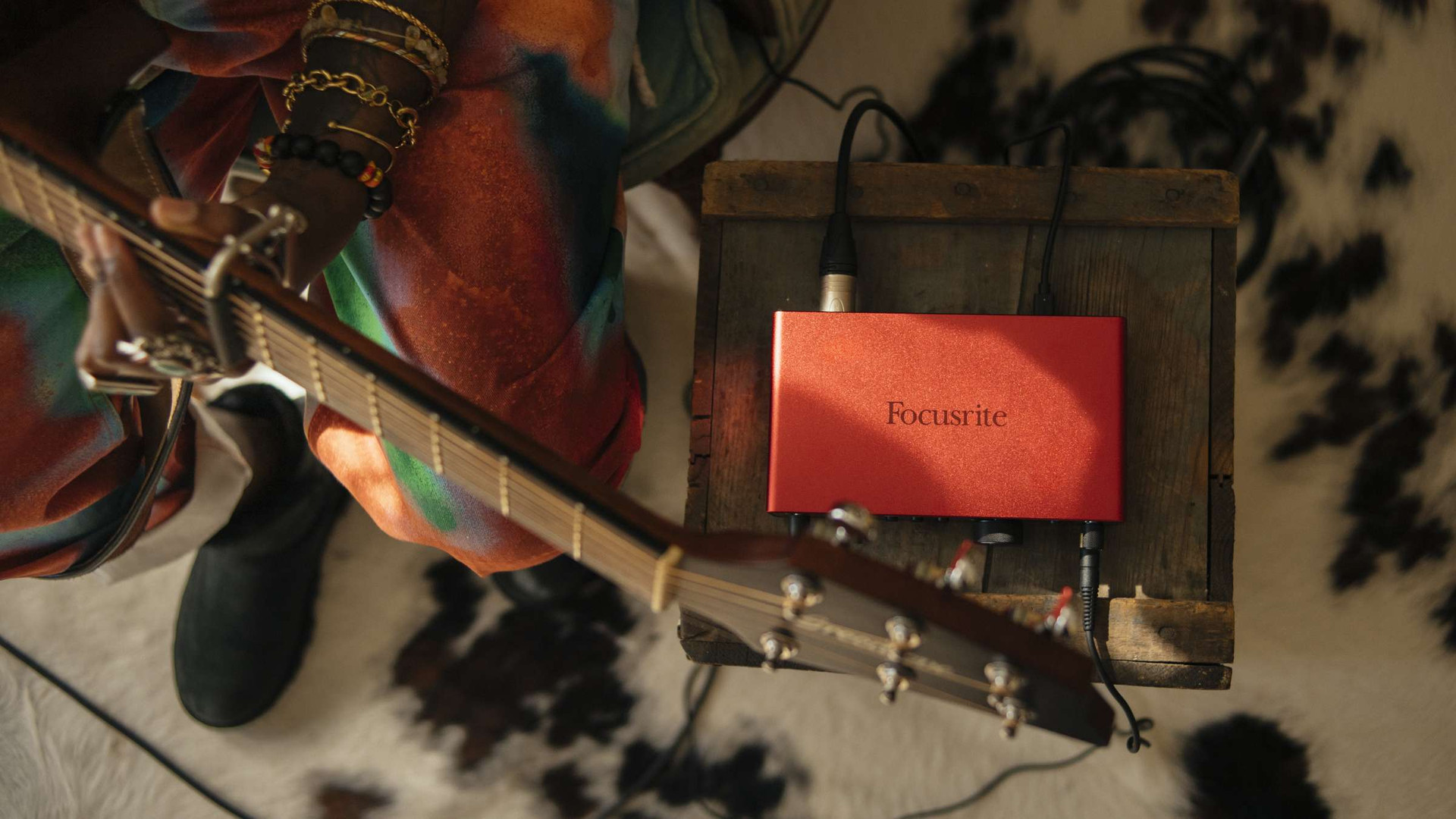
Scarlett 4th Gen has won the 2024 Sound On Sound award for best audio interface.
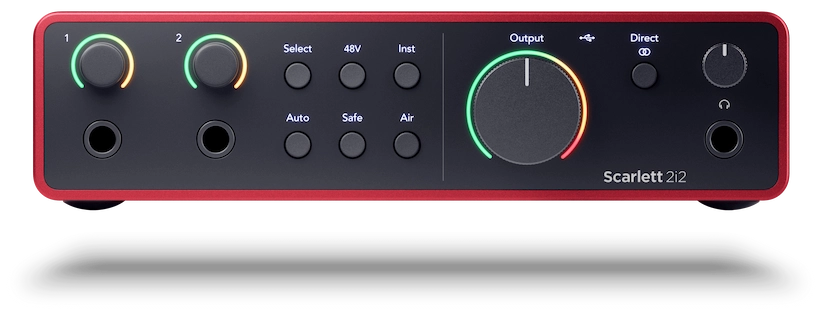
The original studio-quality 2-in, 2-out interface, remastered for the artist. 2i2 features two of our most detailed, ultra-low-noise mic preamps, with line/instrument inputs on the front so you can plug your guitars and synths straight in, delivering pro studio–grade sound with 120dB of dynamic range. Plus, with Auto Gain and Clip Safe, you’ll never need to worry about your levels when recording.
-
Two remote-controllable preamps
-
120dB dynamic range
-
Auto Gain
-
Clip Safe
-
Air modes
-
Complete software bundle


Plug into 2i2’s remote-controlled preamps — Scarlett’s clearest and most detailed ever, with a huge 69dB gain range to get the best from every microphone.

Let 2i2 handle your levels.
Auto Gain sets your levels and Clip Safe keeps them in the sweet spot, automatically tweaking the gain if you’re in danger of clipping. You’ll never lose a take again.

Presence mode boosts your signal’s high-end, bringing the sound to the front of the mix. Create intimate vocal recordings, capture every detail of acoustic guitars, and hear your drum overheads shimmer.
Harmonic Drive mode boosts mid-range harmonics in your sound, making its unique character shine through the mix. Try it on guitars, vocals, or anything else that needs a little more punch.

Hi-Z instrument inputs, just like you’d find on an amp, make guitars sound great for DI’s and amp sims.
Two super-high-quality line inputs capture all the character of your synths and keys.
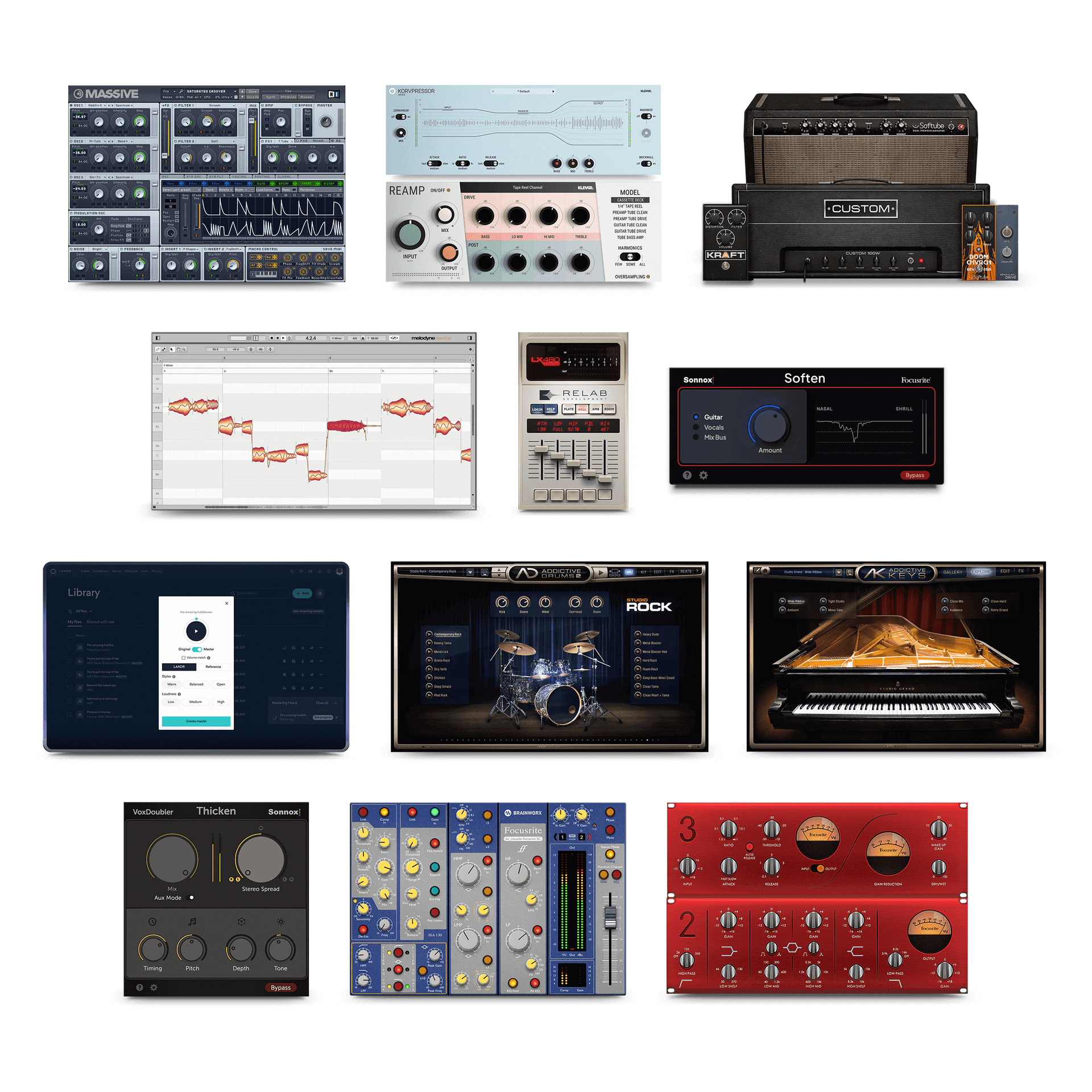
Get started with Ableton Live Lite, Pro Tools Intro+, and Cubase LE. From there, the Hitmaker Expansion bundle has everything you need to add big-studio sound to your songs, with an unbeatable range of instruments and effects from the biggest names in the business.
Explore Hitmaker Expansion
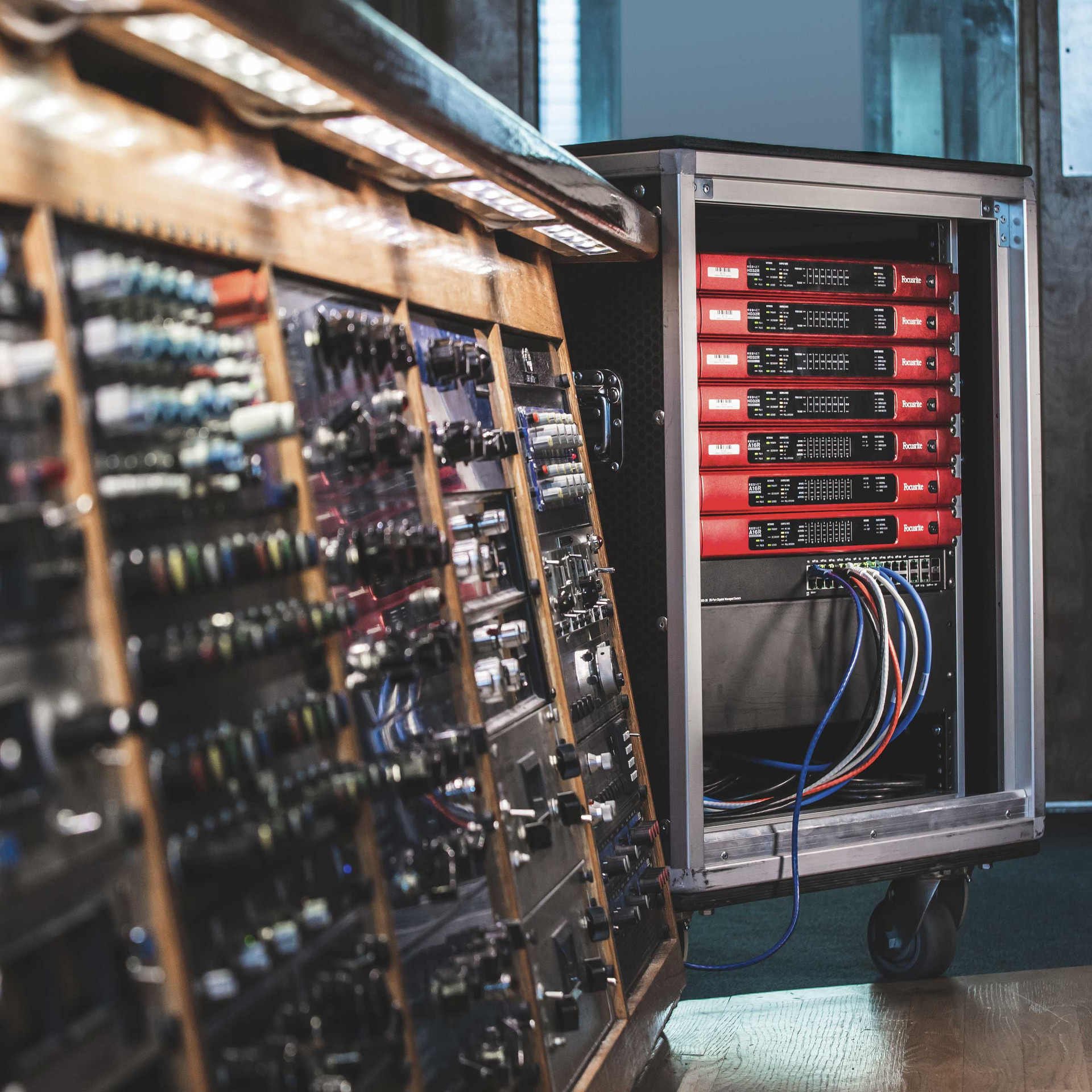
Scarlett delivers incredible audio quality, with converters direct from our flagship RedNet interfaces — as found in high-end studios around the world.

A custom-designed headphone amp design sets the stage for the best playback you’ve ever heard from a Scarlett interface, driving high-impedance headphones louder and clearer than ever before.
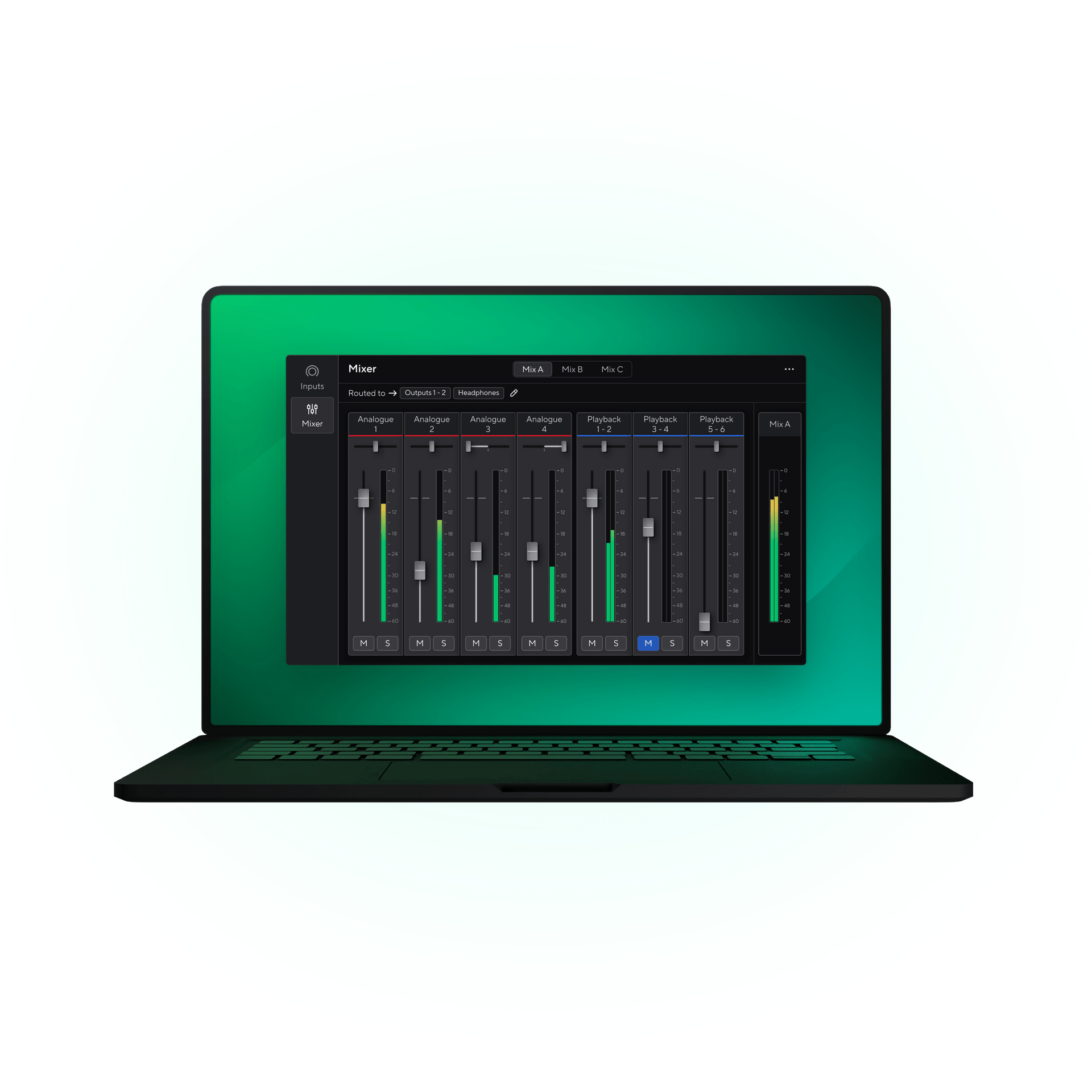
Focusrite Control 2 is a powerful app that easily manages Scarlett 4th Gen interfaces on Windows and macOS devices. Pair the iOS and Android app to your desktop computer to remotely control your Scarlett from anywhere in your recording space.
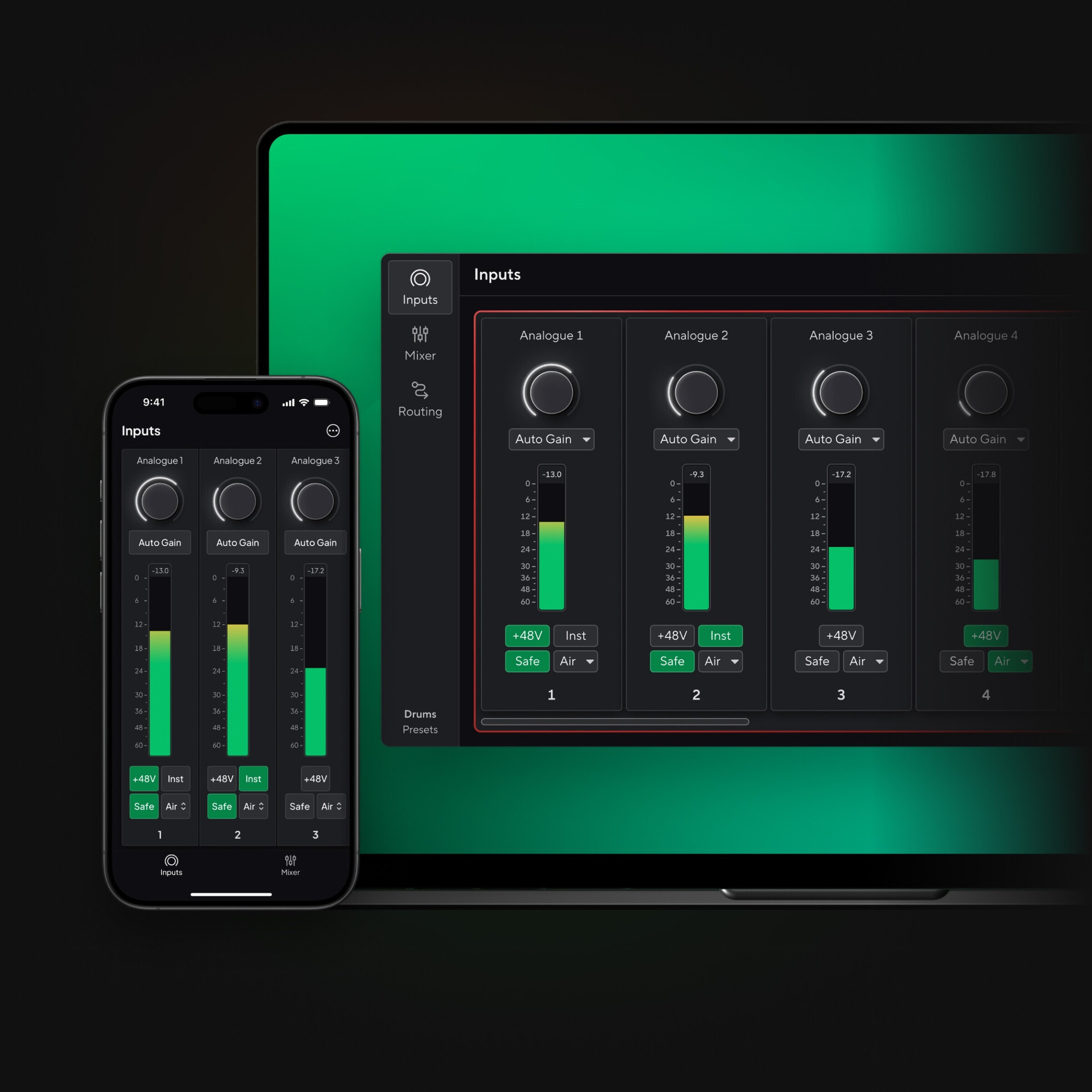
With Focusrite Control 2 for desktop, adjust controls from your mixing position, even if your device isn’t within reach. Control preamps, Auto Gain, Clip Safe, and Air modes — all without leaving the sweet spot.
Keep your creative flow uninterrupted by fine-tuning controls directly from your phone or tablet with the iOS and Android app.
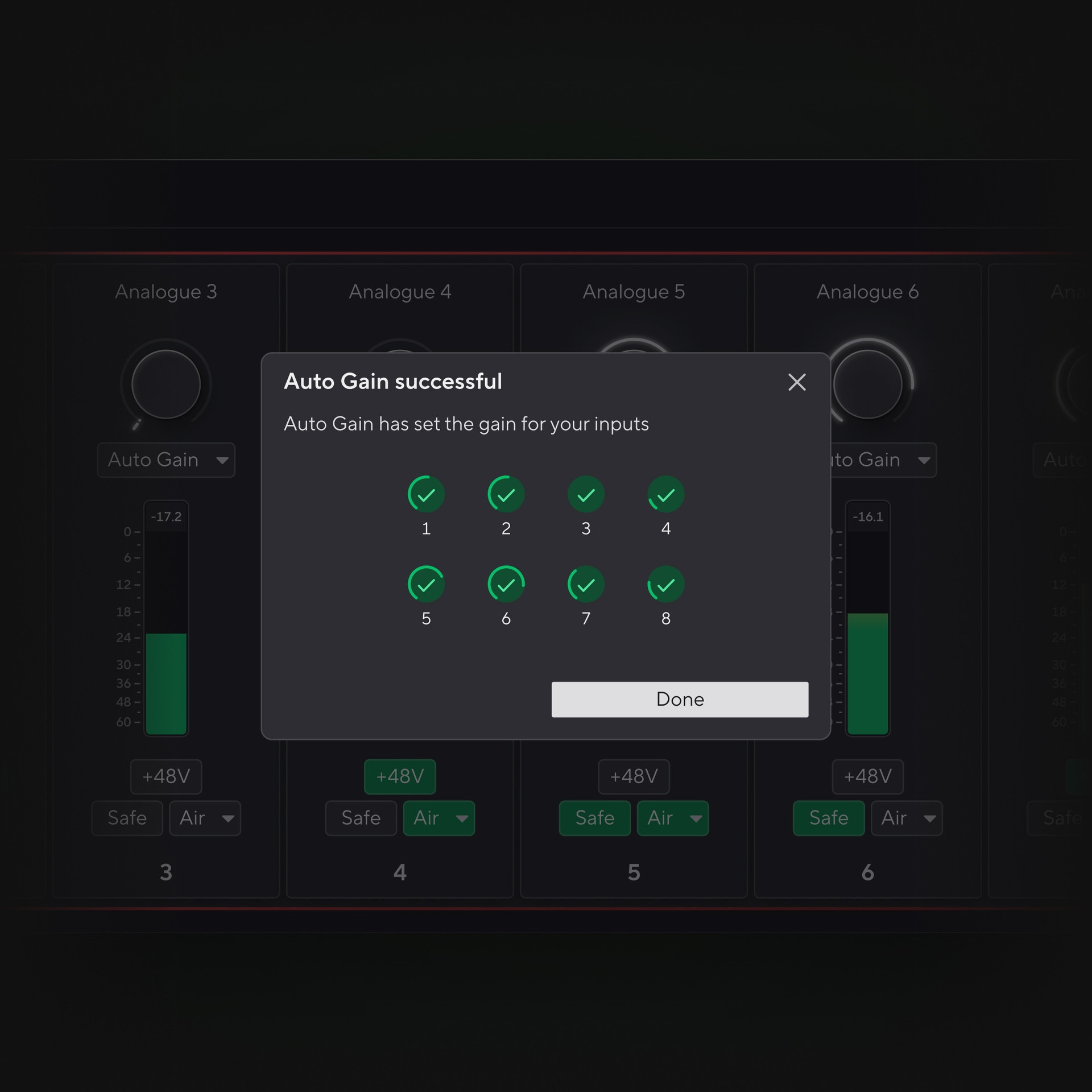
Set levels for up to eight preamps simultaneously with multi-channel Auto Gain, ideal for multi-mic or full band setups. Configure multi-channel Auto Gain via the desktop app or remotely on iOS and Android, allowing you to stay focused on the performance with fewer trips to the computer.
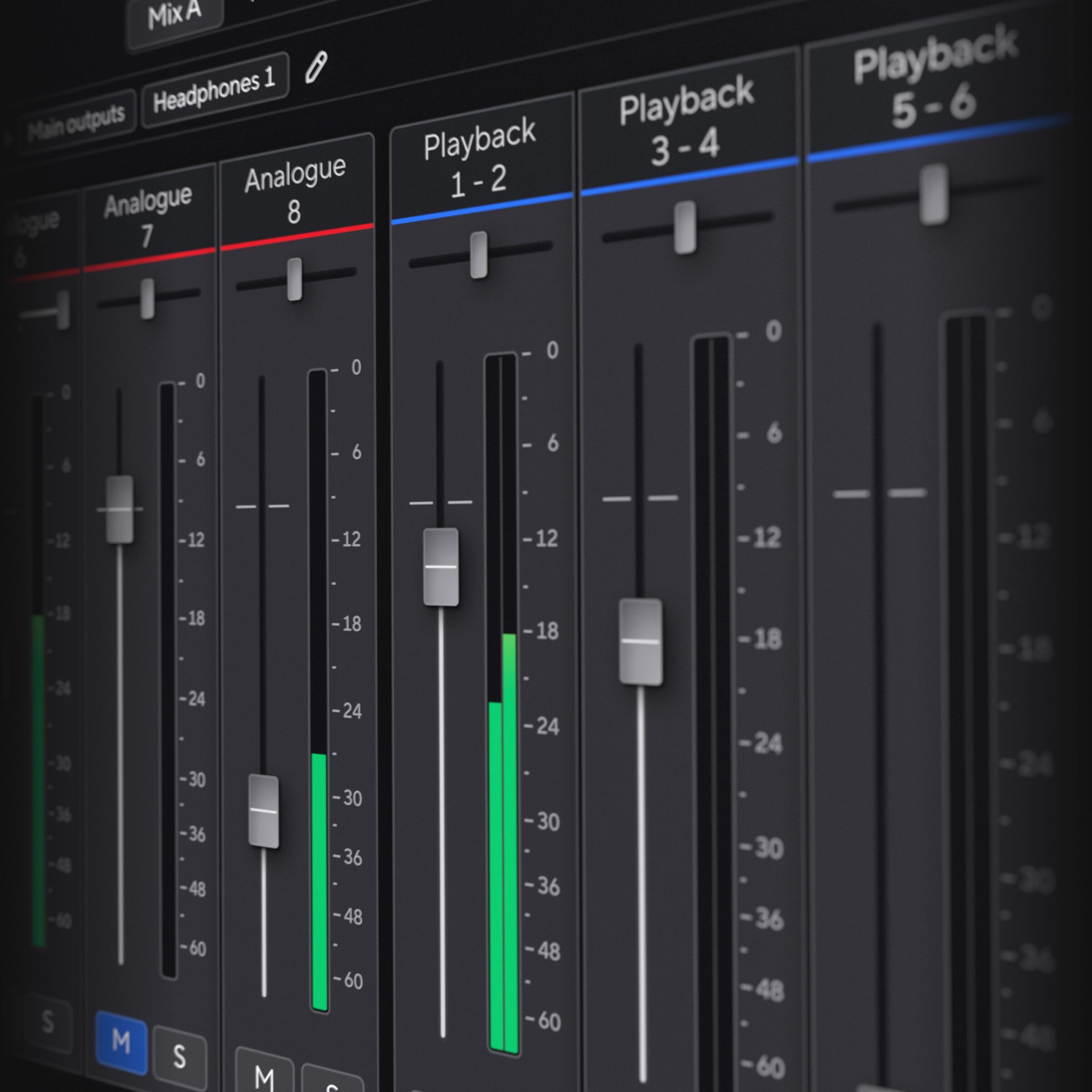
With Focusrite Control 2, create and customise headphone mixes with ease. The desktop app allows you to monitor inputs directly through the mixer, ensuring latency never affects your performance.
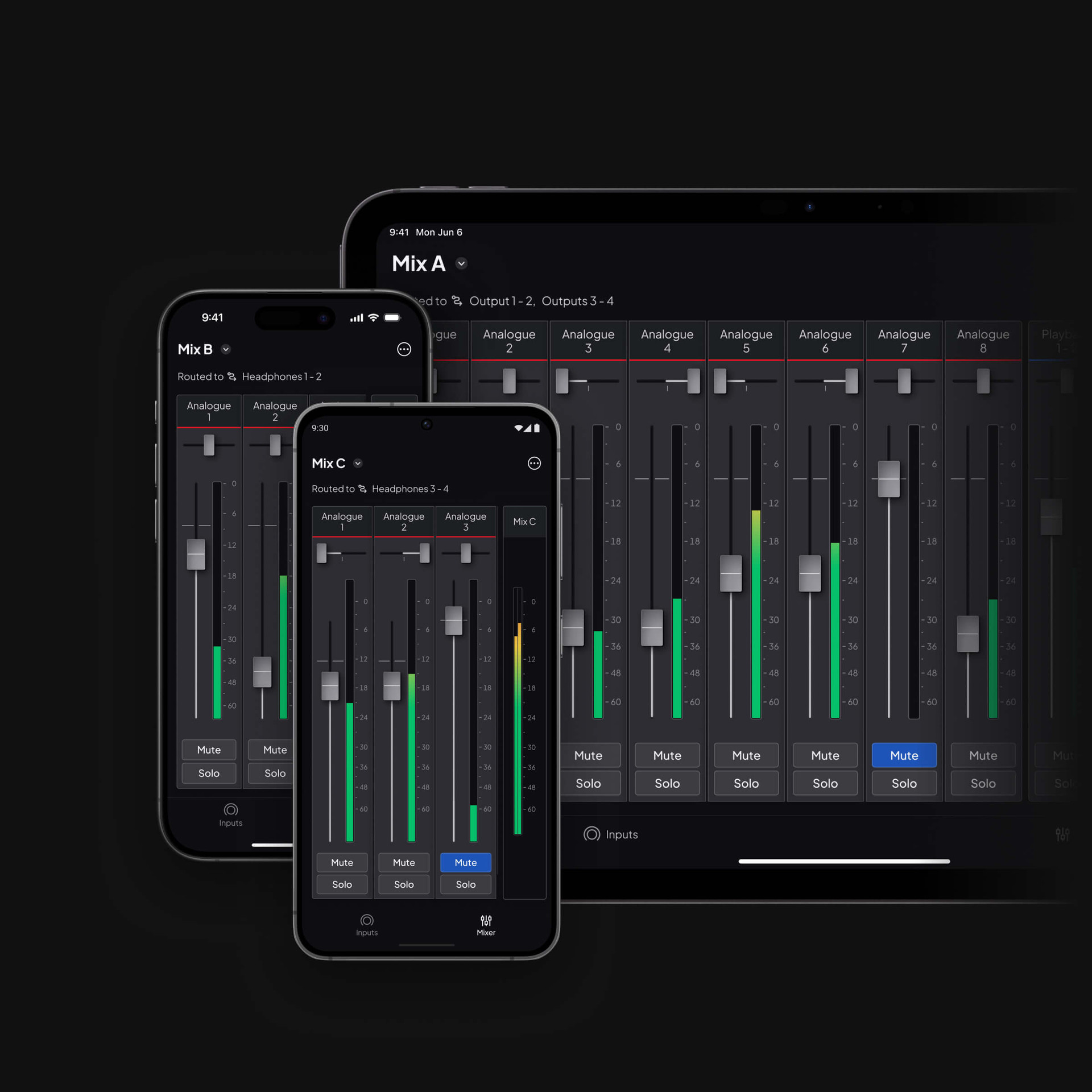
In sessions with multiple musicians, each can use the Focusrite Control 2 app on iOS or Android to manage their own headphone mix. Musicians can control levels, pan, mute, and solo directly from their mobile devices.
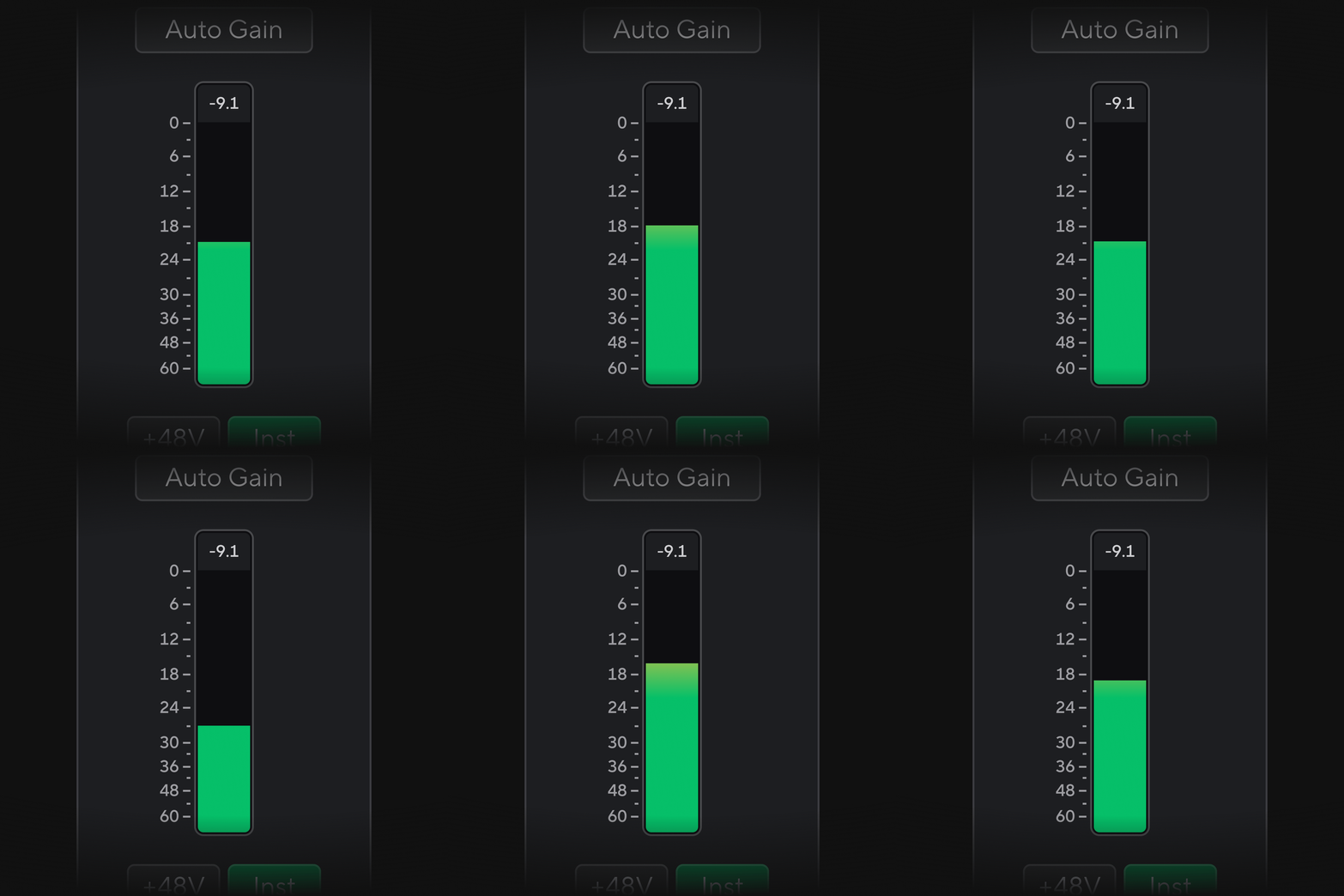
Focusrite Control 2’s precise metering and peak indicator ensure the perfect input level, with accurate readings directly from your device.
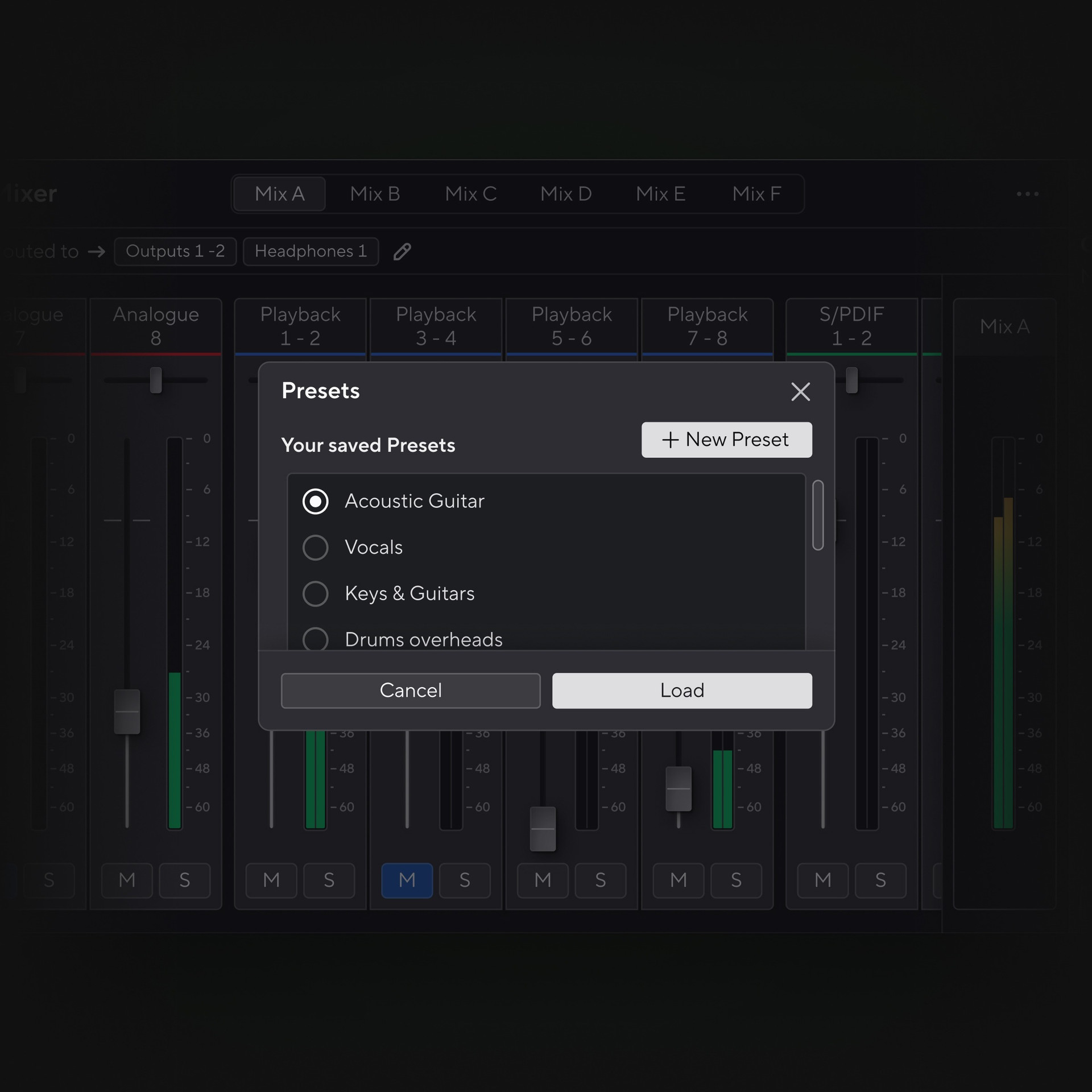
Easily save and load your favourite session settings with Focusrite Control 2 for desktop. Whether managing multiple inputs or complex setups, session recall lets you quickly retrieve and apply input gain, mixer, and routing settings with ease — so you can start recording right away, every time.
-
Accessible by design
Designed from the ground up in collaboration with visually impaired musicians, Focusrite Control 2 for desktop has comprehensive screen reader support that allows full keyboard control of your device.
Multilingual support
Focusrite Control 2 for desktop is available in 12 languages, including English, German, French, Spanish, and more. The software automatically translates to match your computer’s system language.
Seamless wireless pairing
Pair Focusrite Control 2 for desktop with the new iOS and Android app. Enjoy wireless control over inputs and monitoring mixes, allowing you to adjust settings without being tethered by cables.
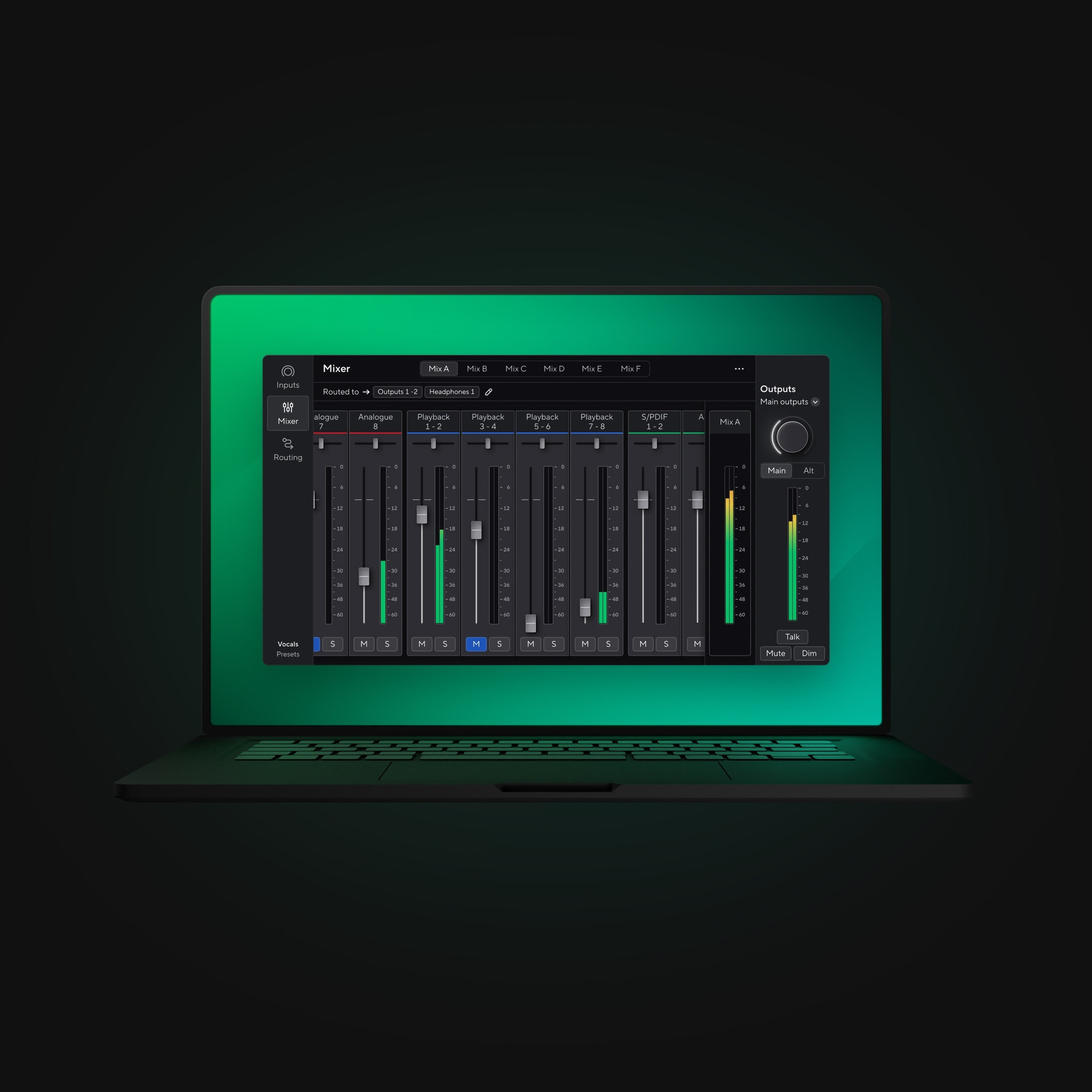
Focusrite Control 2 is a comprehensive app for managing your device on macOS and Windows, providing seamless control of all features from your computer.
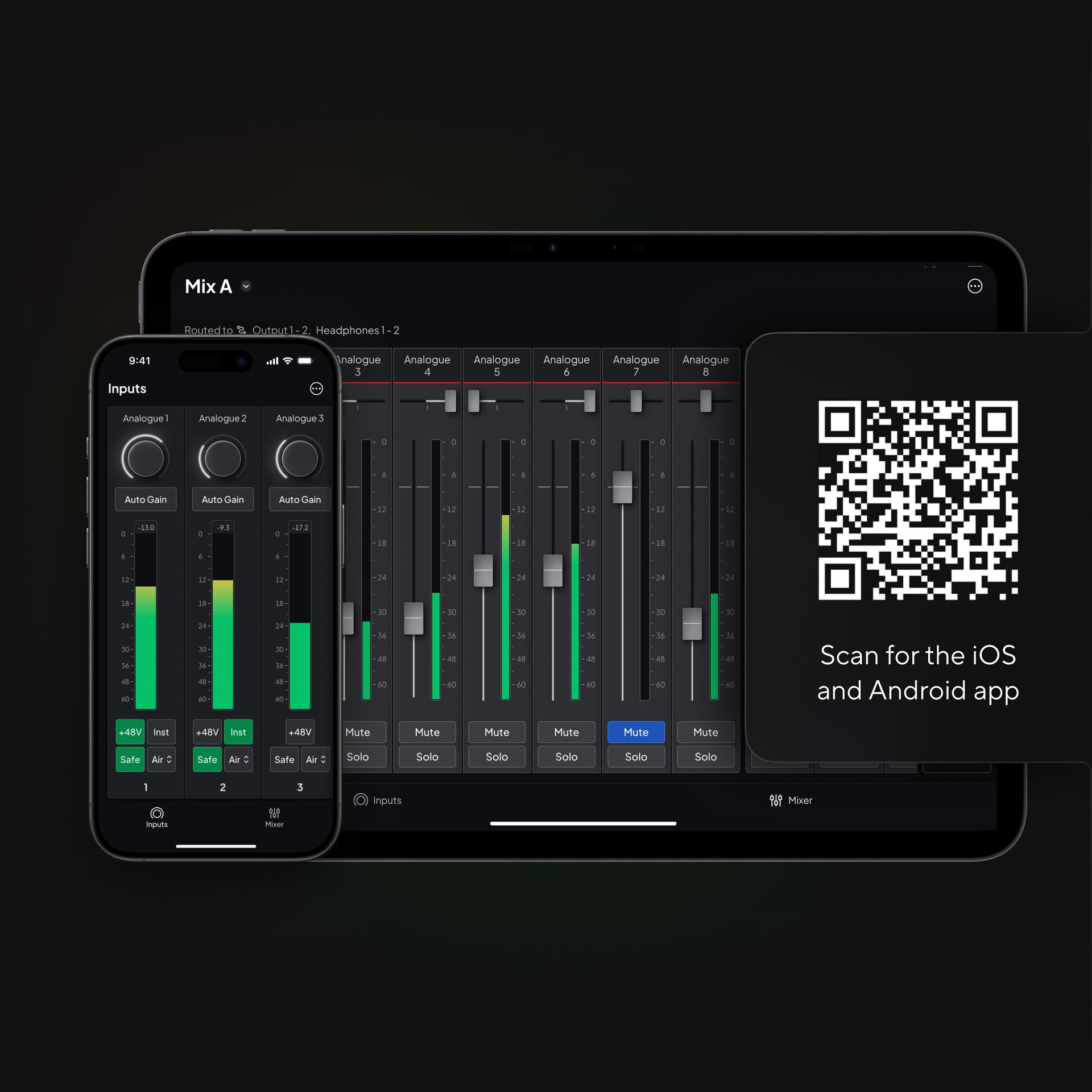
The iOS and Android app pairs with Focusrite Control 2 for desktop, giving you the ability to remotely manage your device.
iOS app store
Android app store
System requirements
Focusrite Control 2 for desktop
- Windows 10 (64-bit) and 11
- macOS Sonoma (14), Sequoia (15), and Tahoe (26)
Focusrite Control 2 for iOS and Android
- iOS (18-26)
- Android (15-16)
Supported products
- Scarlett 4th Gen range
- ISA C8X
- Scarlett 3rd Gen range (public beta)
- Clarett+ range (public beta)
- Clarett USB range (public beta)
- Scarlett 2nd Gen — 6i6, 18i8, and 18i20 (public beta)
Note: Features and functionality may vary depending on your platform and which device is connected. The iOS and Android app supports Scarlett 4th Gen and ISA C8X only. To use the mobile app, install Focusrite Control 2 on your computer, then connect your mobile device to the same network.
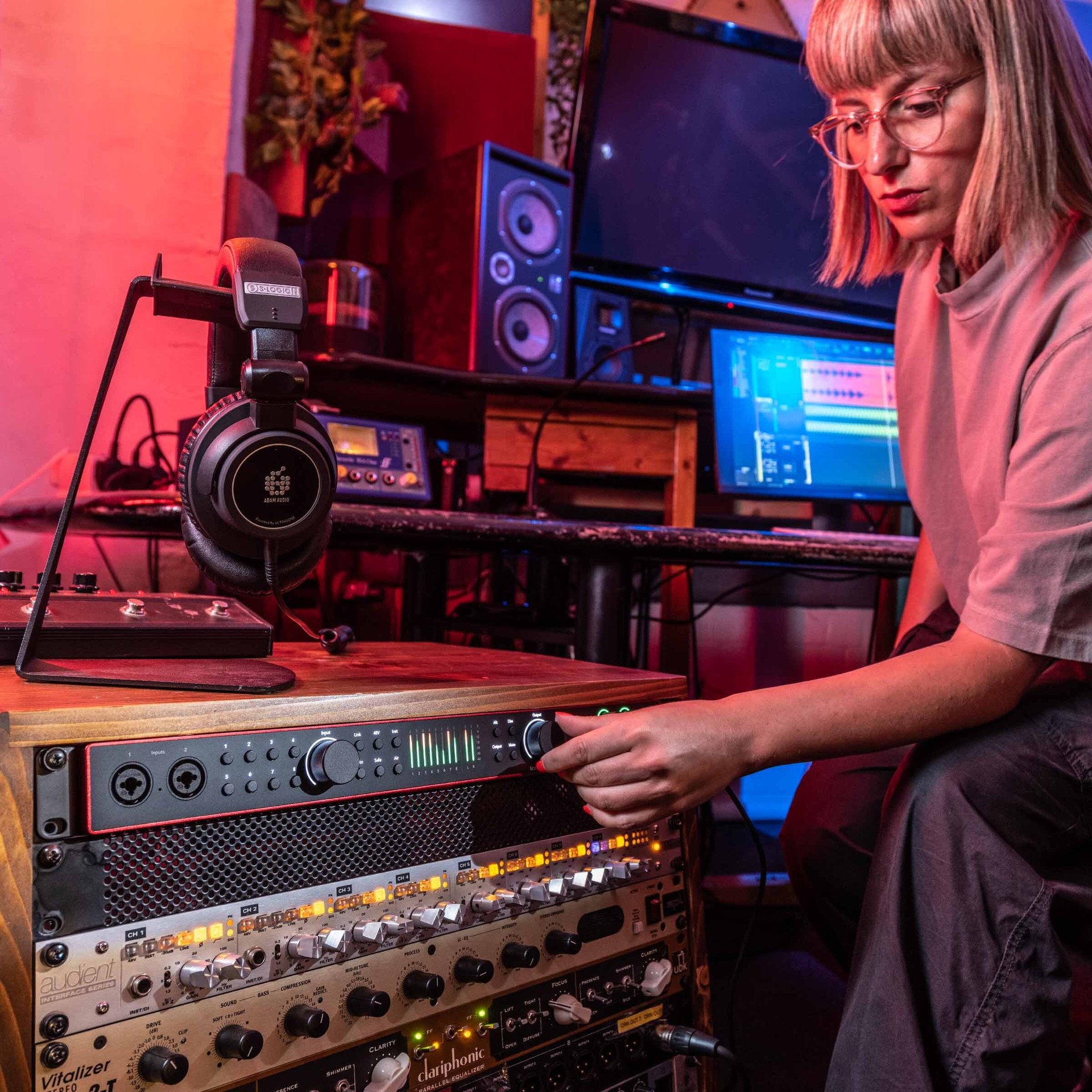
Need help getting set up? Just tell our Easy Start tool what you want to do and we’ll guide you through all the software and setup you need, with recording tips and other helpful content along the way.
Welcome to Easy Start
We’ll help you get started with your Scarlett and access your included content.
Log in and Register
Let’s start by registering your Scarlett to your account.
This gives you access to all the great bundled software included with your Scarlett!